
Transparent taskbar on Windows 10
Transparent taskbar Windows 10 setups have used TranslucentTB since 2017. Windows 10 offers only a slight built-in translucency. The app's Clear look removes the taskbar background completely.
Free. Needs Windows 10 version 1903 or later, 64-bit.
Checked against TranslucentTB 2026.2. Last updated .
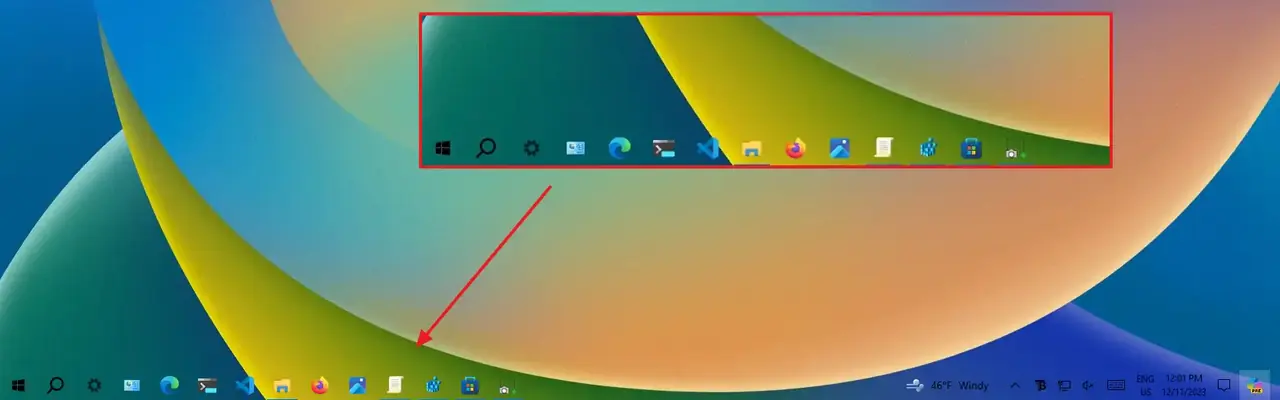
Set it up
- Install TranslucentTB from the Microsoft Store, or with the App Installer file from GitHub. The Windows 10 download page has the links.
- Right-click the tray icon, open Desktop, choose Clear.
- Open Accent Color and set the alpha to zero for fully transparent, or higher for a tint.
- Tick Open at boot.
Windows 10 details worth setting
Hide the Peek button. The narrow button at the right end of the taskbar shows as a visible sliver on a clear taskbar. Untick Show Desktop Peek Button in the Desktop submenu. It still works when you click the corner.
Leave Start and Search on Normal. By default on Windows 10 the taskbar returns to its normal look while Start or Search is open, so the open menu and the taskbar match. That behaviour is the Start opened and Search opened states.
Turn off the accent colour. Under Settings, Personalization, Colors, untick "Start, taskbar, and action center" if the taskbar is picking up your accent colour.
Blur is available too
Windows 10 still has the system blur effect, so Blur works without extra configuration. It softens the wallpaper behind the taskbar. Acrylic gives the stronger frosted look.
What stays the same
The small lines under running apps are part of Windows 10 and cannot be removed by the app. The taskbar's size, position and icons are untouched. Centring the icons on Windows 10 was TaskbarX's job, and the two can run side by side: see how TaskbarX and TranslucentTB share the taskbar.
The registry method
Older guides describe a registry value named UseOLEDTaskbarTransparency. It made the Windows 10 taskbar somewhat more transparent on early builds. The page on a transparent taskbar without an app has the details and its limits.
Sources: the project README, the project's tips page, and issue #900.
Related pages
- Transparent taskbar on Windows 11Fully see-through, with the border line removed.
- Taskbar not clear or blackTinted instead of clear, or black instead of acrylic.
- Remove the taskbar line (Windows 11)Hide the one-pixel border above the Windows 11 taskbar.
- Taskbar text colourWhite clock and icons on a clear taskbar, using a Windows setting.
- Blur the taskbar on Windows 11A soft-focus taskbar with a strength you can set.
- Acrylic taskbar on Windows 11The frosted Fluent Design look, tinted any colour you choose.
See everything under Uses.