
TranslucentTB with Rainmeter, Wallpaper Engine and other tools
TranslucentTB with Rainmeter or Wallpaper Engine is a normal combination. Those tools draw the desktop behind the taskbar and do not touch the taskbar itself, so there is nothing to fight over.
Trouble starts with tools that also modify the taskbar. This page sorts them by what is documented.
Checked against TranslucentTB 2026.2. Last updated .
The rule of thumb
One program should own the taskbar's background. Anything that draws wallpapers, widgets or window effects is fine beside TranslucentTB. Anything with its own "taskbar transparency" switch needs that switch turned off, or it replaces TranslucentTB entirely.
Wallpaper and widget tools
| Tool | What it does | With TranslucentTB |
|---|---|---|
| Rainmeter | Desktop widgets and skins | No conflict documented in the issue tracker |
| Wallpaper Engine | Animated wallpapers | No conflict documented |
| Lively Wallpaper | Animated wallpapers, free | No conflict documented |
| MicaForEveryone | Mica and acrylic backdrops for app windows | Styles windows, not the taskbar. No overlap. |
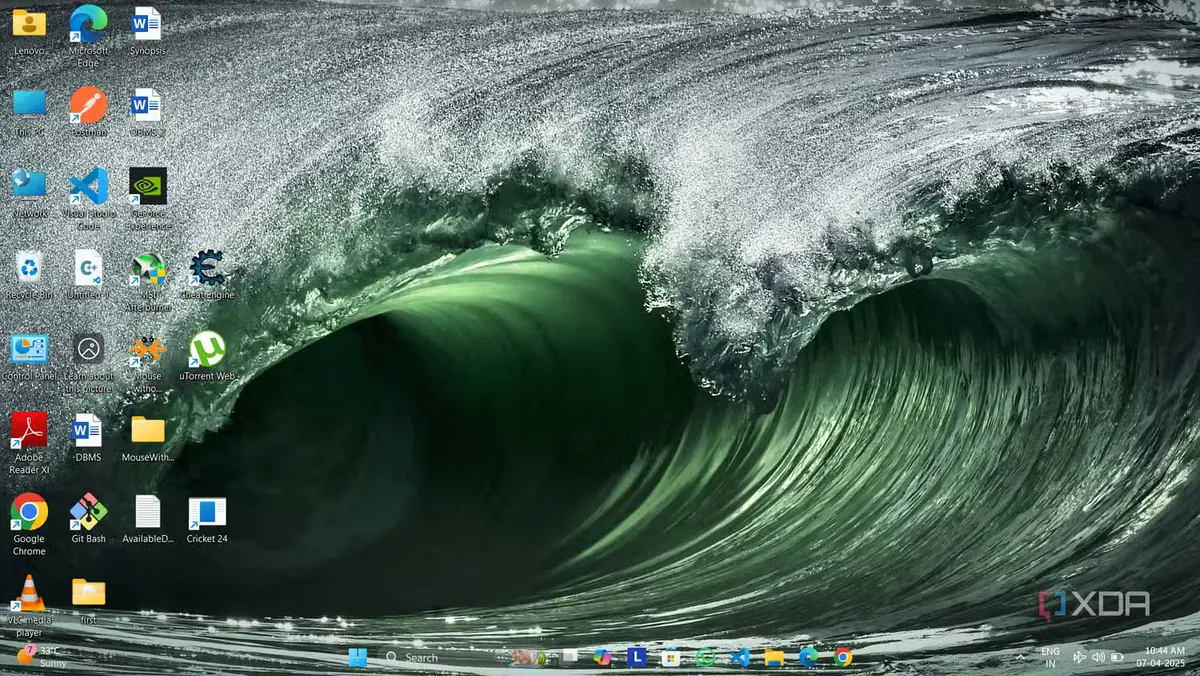
A clear taskbar shows an animated wallpaper moving behind the icons, which is the reason people combine them.
One thing to watch: a wallpaper or overlay program's window can be counted as a "visible" or "maximized" window, which holds the taskbar in the wrong state. If the taskbar never returns to the Desktop look while such a program runs, add its process to ignored_windows. The rules guide covers ignored windows.
Tools that change the taskbar or Start menu
| Tool | Status | What is documented |
|---|---|---|
| ExplorerPatcher | Maintained, free | Listed as compatible in the TranslucentTB README. Blur is unavailable on its classic taskbar on Windows 11 22H2 and later. Keep Show taskbar border on if buttons vanish on a second monitor. |
| StartAllBack | Maintained, paid | Has its own taskbar translucency. Blur is unavailable on its classic taskbar. One user fixed broken Acrylic by reinstalling it. |
| Start11 | Maintained, paid | Has its own taskbar styling. The developer suggests testing without it when something breaks. |
| Windhawk taskbar mods | Maintained, free | The Taskbar Styler guide says to disable TranslucentTB when troubleshooting. Use one or the other. |
| RoundedTB | Archived 2023 | Listed as compatible in the README, but suspected of breaking current versions. RoundedTB details |
| TaskbarX | Archived 2025 | Turn off TaskbarX's own style options. Using it for centred icons |
Custom bars and tiling window managers
- YASB and Zebar. These status bars create a window that looks like a taskbar to other programs. TranslucentTB used to grab it by mistake. Fixed in version 2026.1.
- GlazeWM. Crashes fixed in version 2024.1.
- Seelen UI. It replaces the Windows taskbar with its own toolbar and dock, so there is no Windows taskbar left for TranslucentTB to style.
Suites that bundle taskbar transparency
Be careful with all-in-one "desktop enhancer" programs. iTop Easy Desktop was found to include TranslucentTB's code, which made the real app loop on a "please restart Windows" message. The vendor removed it after the developer raised a licence violation, and updating that program resolved the clash.
The developer's general warning: software that claims to do the same thing may contain the project's code, and it will conflict with the original. Uninstall it first.
Locked-down work PCs
AppLocker and WDAC policies can block the DLL the app needs to load, because the app copies it to a user-writable folder. That case is open in issue #1033 with no solution yet.
How to test for a conflict
- Exit every other desktop tool.
- Restart Windows Explorer and start TranslucentTB. Confirm it works alone.
- Start the other tools one at a time until the problem returns.
If Explorer itself restarts in a loop while you test, stop and read what the crash protection message means.
Sources: the TranslucentTB README and release notes, issues #1226, #702, #1138, #890, #1210, #1035, #1033, and the Windows 11 taskbar styling guide.
Related pages
- TranslucentTB vs WindhawkA one-job app against a full styling engine for the Windows 11 taskbar.
- TranslucentTB not workingThe general checklist when the taskbar stays opaque.
- TaskbarX vs TranslucentTBIcon centring against background styling, and which is still maintained.
- How to use TranslucentTBFrom the welcome window to a finished taskbar, in five steps.
- TranslucentTB settings explainedWhat every entry in the tray menu does, including Advanced.
- Tips and tricksTwelve small things that make the result look and work better.
See everything under Guides.