
TranslucentTB rounded corners with RoundedTB
TranslucentTB rounded corners are not a feature of the app. It changes the taskbar's background and border, never its shape. For a rounded or floating taskbar, people have paired it with a second tool called RoundedTB.
That pairing worked well in 2021 and is fragile today.
Checked against TranslucentTB 2026.2. Last updated .
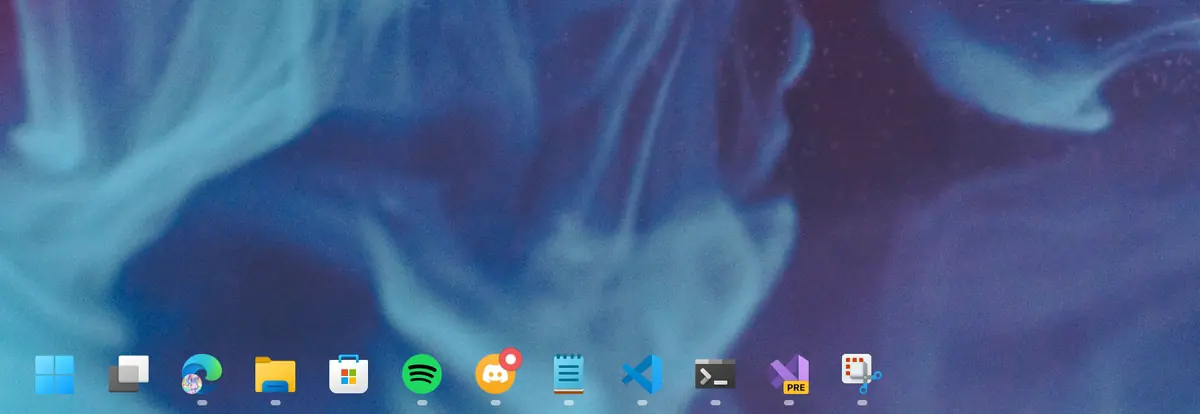
TranslucentTB vs RoundedTB
The two are not rivals. One changes what the taskbar is painted with, the other changed its shape.
| TranslucentTB | RoundedTB | |
|---|---|---|
| Changes | Background: clear, blur, acrylic, colour | Shape: margins, corner radius, split or dock-like bar |
| Transparency | Yes | No. It relied on TranslucentTB for that. |
| Last release | 2026.2, August 2026 | R3.1, November 2021 |
| Status | Active | Archived September 2023 |
| Price | Free, open source | Free, open source |
What RoundedTB does
RoundedTB adds margins and corner radius to the taskbar, so it can look like a floating bar. Its "dynamic mode" shrinks the taskbar to fit the icons, which its README compares to the macOS Dock.
TranslucentTB's README lists RoundedTB as compatible, and the developer has pointed people asking for a floating taskbar toward it.
The state of RoundedTB in 2026
- Its last release, R3.1, is dated 14 November 2021.
- The GitHub repository was archived on 27 September 2023. Nobody is fixing bugs.
- Its own README describes TranslucentTB compatibility as experimental, mentions flicker, and names TranslucentTB version 2021.5 as the version it was built against.
The Windows 11 taskbar has been rebuilt several times since then.
What the TranslucentTB developer says now
- For a taskbar that kept shrinking, the answer in issue #1055 was to uninstall RoundedTB.
- In issue #1355 the developer suspects RoundedTB of breaking the taskbar's styling on version 2026.2 and notes it has been unmaintained for years.
- An error with code 0x8001010D when both run together is reported in #974 and remains open.
So: if TranslucentTB misbehaves and RoundedTB is installed, remove RoundedTB first.
If you still want to try the pair
- Install TranslucentTB and confirm it works alone.
- Install RoundedTB and set a corner radius and margin.
- In RoundedTB's advanced settings, turn on its TranslucentTB compatibility option.
- If the taskbar flickers, loses its look or errors appear, exit RoundedTB.
Expect it to work on some Windows 11 builds and not on others.
A maintained way to get rounded corners on Windows 11
Windhawk's "Windows 11 Taskbar Styler" mod is actively updated (version 1.11.2 is dated 17 November 2026) and can round, float and restyle the taskbar, including a dock-like theme. It also handles transparency itself.
It replaces TranslucentTB instead of joining it. The mod's own styling guide lists TranslucentTB among the tools to disable when troubleshooting. Run one or the other. See how the two compare.
Round window corners are a separate thing
Windows 11 already rounds the corners of app windows. That has nothing to do with the taskbar's shape, and TranslucentTB does not affect it.
Sources: the RoundedTB repository, the TranslucentTB README, issues #1055, #1355, #974, #423, and the Windows 11 taskbar styling guide.
Related pages
- Works with other tools?Which desktop tools coexist with it, which clash, and what to change.
- Centre the taskbar iconsBuilt in on Windows 11. A second tool on Windows 10.
- TranslucentTB not workingThe general checklist when the taskbar stays opaque.
- TaskbarX vs TranslucentTBIcon centring against background styling, and which is still maintained.
- Keeps crashing or closingWhen the app exits by itself, or Explorer restarts in a loop.
- How to use TranslucentTBFrom the welcome window to a finished taskbar, in five steps.
See everything under Guides.